
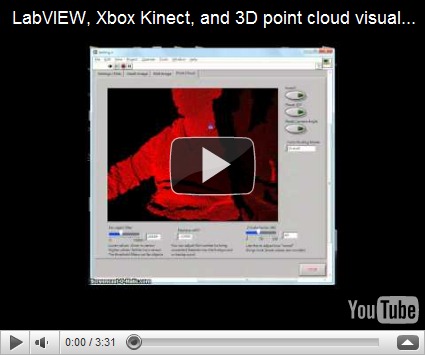
Lately there has been alot of buzz about the Microsoft Kinect accessory, especially within the area of mobile robotics. Imagine, a 3D scanner for not 2000 USD, but 200 USD! Well, if you already happen to use LabVIEW, things just got a little easier.
This post is actually a response to the great work that Ryan Gordan has been doing over at his blog, http://ryangordon.net/. Ryan’s already put up a LabVIEW wrapper for the OpenKinect library … if he had not done this, my experimentation would not have been possible. So, kudos to Ryan.
You can get started pretty fast using Ryan’s LabVIEW example – grabbing the RGB image, 11-bit depth image, and accelerometer data off of the kinect. I know that other people have gone on to using the kinect for 3D scene reconstruction (i.e. MIT), I was just curious if LabVIEW could do the same. So, after some google searching, I found a LabVIEW point cloud example and combined that with Ryan’s example code. Here’s how to get started:
1. Get your kinect connection up and running first. Ryan has included inf files on his site, I have as well in my download link. Be sure to install Microsoft Visual C++ 2010 Redistributable Package. Check http://openkinect.org/wiki/Getting_Started for more information.
2. Run Ryan’s example.vi first to get a feel of how the program works. It’s the typical, but very handy, open –> R/W –> close paradigm.
3. Now open up Kinect Point Cloud.vi. The tabs on the top still have your depth image and RGB image, but now I’ve added a point cloud tab.


4. There are some options that you can adjust while in the point cloud tab. There is a filter that lets you remove far objects, you can adjust the threshold on the lower left. “Invert” is to turn the 3D inside out, pause 3D holds the current 3D view, and in case you lose the mesh while scrolling around in the 3D view, use the reset camera angle button. BTW, use your left mouse button to rotate the 3D view, hold down shift to zoom in/out, and hold down ctrl to pan.
5. If you choose color binding mode to be “per vertex”, something interesting happens:

You can map the RGB values to the 3D mesh! Obviously there is some calibration needed to remove the “shadow” of the depth image, but that’s something to fiddle with in the future.
6. For those of you who care, I’ve modified Ryan’s “get RGB image” VI and “get depth image” VI so that they output raw data as well. Just wanted to clarify if case your subVIs don’t match up.
The idea behind displaying the 3D mesh is pretty simple, it’s alot like the pin art toy you see in Walmart:

The kinect already gives you the z-values for the 640x480 image area, the LabVIEW program just plots the mesh out, point by point. I had wanted to use the 3D Surface or 3D Mesh ActiveX controls in LabVIEW, but they were just too slow for real-time updates. Here is my code in LabVIEW 8.6, I’ve bundled Ryan’s files with mine so you don’t have to download from two different places. Enjoy!
Download: LabVIEW Kinect point cloud demo
Things to work on:
I am a bit obsessive about the performance of my LabVIEW code. For those of you who noticed, the 3D display will update slower if you choose “per vertex” for color binding. This is because I have to comb through each of the 307,200 RGB values that was already in a 3-element cluster and make it into a 4-element RGBA cluster so that the 3D SetMeshParms node can take the input with an alpha channel. If any of you know how to do this in a more efficient way, please let me know! This really irks me, knowing that I’m slowing down just to add a constant to an existing cluster.

I have also seen other 3D maps where depth is also indicated by a color gradient, like here. I guess it wouldn’t be hard to modify my code, it’s just some interpolation of color to the depth value. But that’s a little tedious to code, I prefer spending more of my time playing with 3D models of myself! (Uh, that sounded weird. But you know what I mean.)
A little about me:
My name is John Wu, I’ve worked at National Instruments Taiwan for about six years, now I’m at a LabVIEW consulting company called Riobotics, where we develop robots with LabVIEW not only for fun, but also for a living! Please leave your comments and feedback, I’d love to hear from you.
-John


 http://iphone.15fun.com/?p=941
